Lawyer Video After the Upload: From Viewer to Caller
- For lawyers, a finished video still has to be found, clicked, watched to the end and turned into a phone call.
- Give each video its own page on your site with a title, description and transcript, since YouTube embeds always show related videos.
- Let AI draft ten titles but keep a true one, end each video with a next step, and ask callers which video.
Lawyers who make their first marketing videos usually stop at the upload. The video is shot, edited and posted, and then nothing happens. Getting a law firm video watched, and getting the viewer to call, is a second job. Solo Practice University's video course called the alternative the "hope" method, and it doesn't work any better now than it did then.
Four hurdles after you hit publish
SPU ran Creating Online Video for Attorneys between 2009 and 2015. We've already covered its advice on making the video itself in lawyer video that's short, real and searchable: teach, answer one client question per video, and don't give legal advice. This post picks up where that one stops.
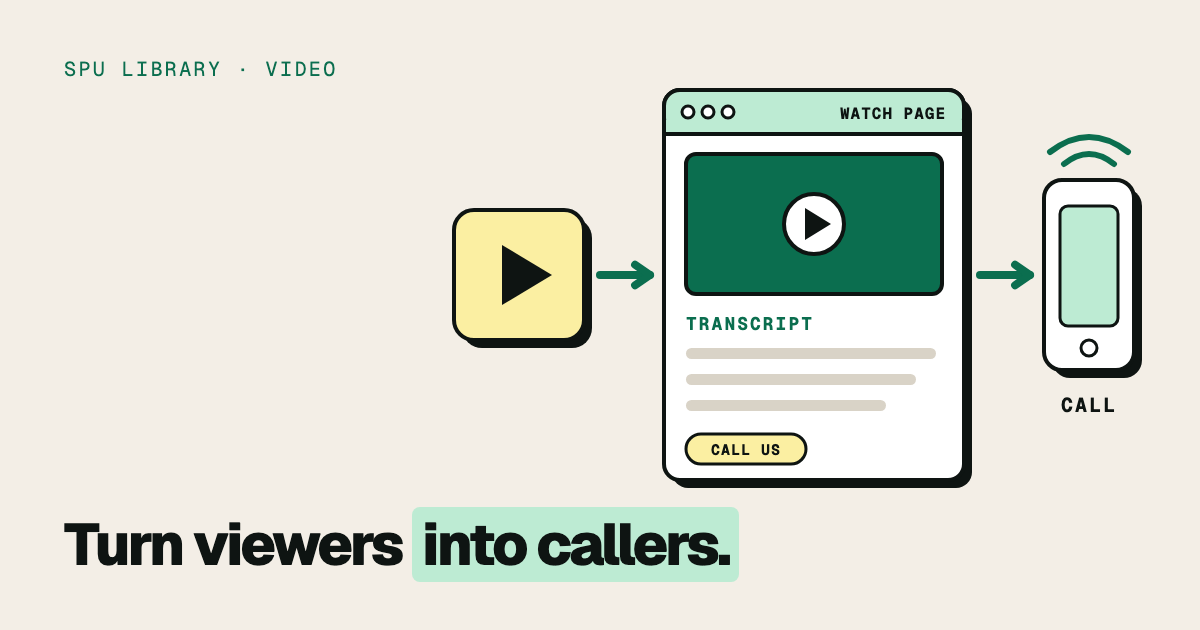
In a 2011 lesson, the course's instructor, Gerry Oginski, listed what has to happen after the upload. Someone has to "(1) find your video, (2) find the title compelling enough to click play, (3) watch the video till the end, and (4) find your content so compelling that it will convert them from a viewer into a caller."
Each hurdle has its own fix. Most lawyers work hard on the third one, the video itself, and skip the other three.
From upload to phone call
Write ten headlines, keep one
Borrowing from direct marketing, the course called the headline the most compelling part of the message:
"You should be writing five to ten headlines for every video you create."
Its reasoning was blunt: "if your headline stinks, nobody will watch your video; no matter the content of what you have to say or how good the quality of your video is." It suggested several styles: ask a question, answer a question, state a fact, or explain how something works.
This is a job AI does well. Paste in your own transcript and ask a general assistant like ChatGPT or Claude for ten title options in different styles. You'll get a usable list in seconds. Then do the part the tool can't: pick the one a worried client would actually type or click, and check that every word of it is true.
That second check matters for lawyers. A title is a communication about your services. ABA Formal Opinion 512, the ABA's 2024 opinion on generative AI, notes in a footnote that additional issues "may surface, including those found in Model Rule 7.1 ('Communications Concerning a Lawyer's Services')." A generated title that promises a result, or quotes a number you can't source, is your title once you publish it. Check your own jurisdiction's advertising rules. SPU's archive has a useful primer on social media ethics issues for lawyers.
The description box got the same attention in the course. It said to write "a detailed summary; make it at least two to three full paragraphs," and then include all your contact information and address.
Don't let YouTube be the only home
The course loved YouTube, and still warned against relying on it. In a lesson titled "Why YouTube Is Not Your Best Friend," it pointed out that YouTube shows related videos when yours ends, so a viewer could "easily click over to your competitor's video." The bottom line:
"don't put all your eggs (videos) into YouTube alone."
That warning holds up. Since September 25, 2018, you can't turn off related videos in a YouTube embed. Setting the player's rel parameter to 0 only limits them to videos from your own channel (YouTube developer docs; Wistia). That's better than a competitor's video, but it's still YouTube's player, not yours.
The fix is to give each video a page on your own site. Google's video guidance recommends creating "a dedicated watch page for each video, if it makes sense for your business," with a page title and description unique to that video (Google Search Central). Since December 2023, Google's Video mode has shown only pages where the video is the main content (Google Search Central blog; Search Engine Land). A video buried at the bottom of a long practice-area page doesn't count.
For a lawyer answering client questions, that works out neatly: one question, one video, one page. Put the video at the top, a short written answer under it, and your contact details. If you're not sure your site is built for that, SPU offers a free law firm website review. SPU was asking whether lawyers belonged on YouTube at all back in 2010, in Is YouTube in your professional future? The answer turned out to be yes, but not only there.
Where the transcript goes now
The course made one point that has flipped. It said the search engines couldn't index what was said inside a video, so the title and description had to do all the work. It also said: "Don't create a transcript, word for word, of your video and put it in the description box."
The description box still isn't the place for it. But a transcript now has two good homes. The first is the caption track. If you have a transcript, YouTube Studio's auto-sync option lines the text up with your video's audio (YouTube Help; James Madison University). The second is your watch page, as text under the video, for readers who'd rather skim. Proofread both. A transcription tool that mishears a statute number puts the error under your name, as the earlier post on captions explains.
Every video needs a next step
The course was firm that a teaching video still has to ask for something:
"Finally, every video must have a call to action."
That could be a link to a related article, a page on your site, or a request to call. It also suggested putting your web address on screen in a lower-third graphic, away from where YouTube places its logo. And it warned: "If you fail to include a call to action, your viewers will never contact you."
Keep the ask to one. A video that ends with "call us, email us, follow us and download our guide" ends with none of them.
Ask every caller which video
The course's lesson on why videos weren't converting opened with a scene most solos will recognize. The lawyer asks the receptionist whether anyone called because of the videos, and gets answers like this one:
"Was I supposed to ask them which video they watched when they decided to call?"
The fix was a system: whoever answers the phone asks every caller how they found you, and which video. Without that, you can't tell a video that brings consultations from one that just collects views. SPU's archive has made the same case for tracking your marketing results and for adding the question to a client intake form.
AI can help with the record-keeping. If your intake calls are transcribed or your forms feed a spreadsheet, an assistant can tally the answers each month by video. It can't ask the question. A person, or a form field, has to do that on every call.
Publish less, but better
One of the course's most memorable lessons is a story about deleting work. The instructor shot five videos on a free afternoon, saw the color and lighting were wrong, uploaded one anyway, then watched it and deleted all five. The reason:
"Our viewers correlate our technical proficiency and our presentation in our attorney videos with our legal ability."
From the course, on deleting a video minutes after uploading it
Viewers will judge you after the upload too, in the comments. The course's advice: if a comment is racist or curses, delete it and block the user. If a viewer simply disagrees, keep the comment and reply respectfully, and use it to teach. A reply is a public communication, so never discuss a client or a viewer's specific case in one.
What else the course covered
The course ran for six years and covered much more: the history of attorney advertising, cameras, microphones and lighting, ambient sound, depth of field, a testimonial formula, how to stand out from other lawyers, and the cost of being boring on camera. Some of it, like YouTube annotations and the gear reviews, is history now. For more on getting clients from your content, browse SPU's marketing articles for solo lawyers.
Bring your videos to the community
SPU membership gets you the community, monthly strategy sessions and the course library. Share a video and its title options, and get honest feedback from other solos before you publish.
Get one practical lesson for your firm every week.
Free, from practicing lawyers. Every issue includes a lesson from the archive. Unsubscribe anytime.
The SPU Team writes and edits Solo Practice University's articles. Susan Cartier Liebel founded SPU in 2009 to teach lawyers the practical side of building a practice, the part law school leaves out, with courses taught by practicing lawyers. Today SPU is a community for solo and small-firm lawyers, with an AI Fluency program for firms putting AI to work. Nothing here is legal advice: check your own jurisdiction's rules.
About Solo Practice University →